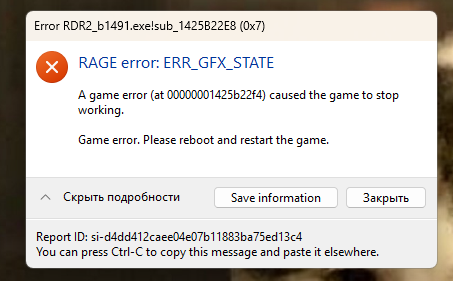
FiveMRedMTutorialHow to Fix ERR_GFX_STATE Error in RedM/FiveMViceFx TeamJan 21, 20241 min read64 views To resolve the ERR_GFX_STATE error, you'll need to modify your graphics API settings: Navigate to: JavaScriptCopy\Users\User\Documents\Rockstar Games\Red Dead Redemption 2\Settings\System.xml Find the "VULKAN" text in the file Replace "VULKAN" with "DX12" If using DX12 already, try switching to "VULKAN" instead That's it! Restart your game and the error should be resolved.
To resolve the ERR_GFX_STATE error, you'll need to modify your graphics API settings: Navigate to: JavaScriptCopy\Users\User\Documents\Rockstar Games\Red Dead Redemption 2\Settings\System.xml Find the "VULKAN" text in the file Replace "VULKAN" with "DX12" If using DX12 already, try switching to "VULKAN" instead That's it! Restart your game and the error should be resolved.