 ViceFx TeamNov 12, 20248 min read827 views
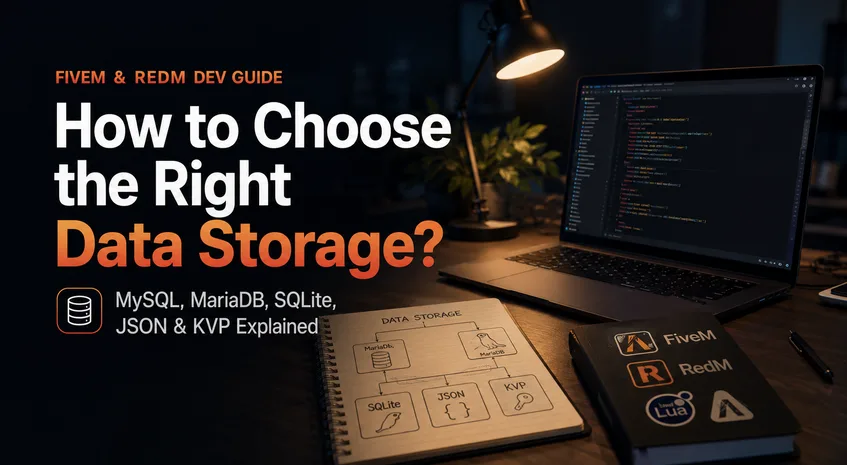 One of the biggest mistakes new FiveM and RedM developers make isn't writing bad code—it's choosing the wrong way to store data.
We've all seen it:
The truth is that there is no single "best" storage method. Every storage solution exists because it solves a different problem.
Knowing when to use MySQL, MariaDB, SQLite, JSON, or KVP will make your resources faster, easier to maintain, and much more scalable.
This guide explains how experienced FiveM and RedM developers decide where data belongs.
Before writing a single line of code, ask yourself:
Who needs this data, and how long should it exist?
Everything else follows from this question.
For example:
These answers determine your storage choice.
For almost every FiveM or RedM resource, you'll use one of these:
| Storage | Best For |
|---|---|
| MySQL / MariaDB | Persistent shared server data |
| SQLite | Small standalone resources |
| JSON | Static configurations |
| KVP | Client or server local settings |
| Memory (Lua Tables) | Temporary runtime data |
Let's explore each one.
MySQL and MariaDB are relational database systems.
From a FiveM developer's perspective, they're used almost interchangeably.
MariaDB is a community-driven fork of MySQL, and both work with popular libraries such as oxmysql.
Use MySQL or MariaDB whenever data must be:
Typical examples include:
If losing the data would ruin your server, it probably belongs in a database.
A vehicle dealership script should absolutely use MySQL.
You might need to:
Doing this with JSON files would quickly become a nightmare.
SQLite is a lightweight SQL database stored in a single file.
Unlike MySQL, there is no separate database server.
Everything lives inside one .db file.
SQLite is perfect for:
Examples:
SQLite shines when your resource manages its own data and doesn't need enterprise-level scalability.
JSON remains one of the most misunderstood storage methods.
Many beginners treat JSON as a database.
It isn't.
JSON is simply a structured text format.
Use JSON for data that changes rarely.
Examples include:
Think of JSON as configuration, not player data.
A hunting script containing 200 animal spawn locations.
Perfect for JSON.
Those locations almost never change.
Saving every player's inventory in one JSON file.
This creates unnecessary complexity, poor performance, and difficult synchronization.
KVP is built directly into Cfx.re.
It stores simple key-value data locally.
Many developers overlook it, but it's incredibly useful.
Use KVP for preferences.
Examples:
This is exactly what KVP was designed for.
Your HUD remembers:
Perfect use of KVP.
Saving 50,000 owned vehicles.
Definitely not.
Not everything needs saving.
Sometimes data only exists while the resource is running.
Lua tables are the fastest storage available because everything stays in memory.
Examples include:
Once the resource stops or the server restarts, the data disappears.
That's exactly what you want for temporary state.
Let's look at common resources and the best storage choice.
| Resource | Best Storage |
|---|---|
| Inventory | MySQL/MariaDB |
| Banking | MySQL/MariaDB |
| Housing | MySQL/MariaDB |
| Vehicle Garage | MySQL/MariaDB |
| Character System | MySQL/MariaDB |
| NPC Config | JSON |
| Shop Config | JSON |
| Translation Files | JSON |
| UI Preferences | KVP |
| HUD Position | KVP |
| Map Editor | SQLite |
| Interior Tool | SQLite |
| Runtime Cooldowns | Lua Tables |
| Active Events | Lua Tables |
Notice that most mature resources use multiple storage methods, each for a specific purpose.
Absolutely—and you should.
Imagine you're building a custom HUD:
Each piece of data lives where it makes the most sense.
This hybrid approach is common in high-quality resources because it balances performance, persistence, and simplicity.
Not every value needs a database query. Storing temporary UI state in MySQL adds unnecessary complexity and network overhead.
JSON files aren't designed for large, constantly changing datasets. As player counts grow, this approach becomes slow and difficult to maintain.
Many developers reinvent local settings systems without realizing KVP already solves the problem.
Cooldowns, active timers, or spawned entities usually don't need to survive a server restart.
A simple teleport script doesn't need ten database tables. Choose the simplest solution that meets your requirements.
When deciding where to store data, ask these questions in order:
Is the data only needed while the resource is running?
Is it a local preference for a player or the server?
Is it static configuration that developers edit?
Does the resource need a small standalone database?
Does the data need to persist, scale, or be shared across players and resources?
If you answer these questions honestly, the right storage method is usually obvious.
Choosing the right data storage isn't about picking the fastest technology—it's about selecting the right tool for the job.
Experienced FiveM and RedM developers rarely rely on a single storage solution. Instead, they combine several methods, each serving a clear purpose:
This approach keeps your resources organized, reduces unnecessary database traffic, improves performance, and makes your codebase easier to maintain as your project grows.
Before you create your next table, write your next JSON file, or save your next KVP entry, take a moment to ask one simple question:
What is this data really for?
Answering that question first will lead you to the right storage solution—and save you countless hours of refactoring later.
